Production tracking
Jobs, targets and changeovers, counted by the machine
Kaynan Nexus counts what each machine makes from its own part counter. Put that against your jobs, your rated rates and your changeover times, and the floor knows where it stands every hour.
Jobs
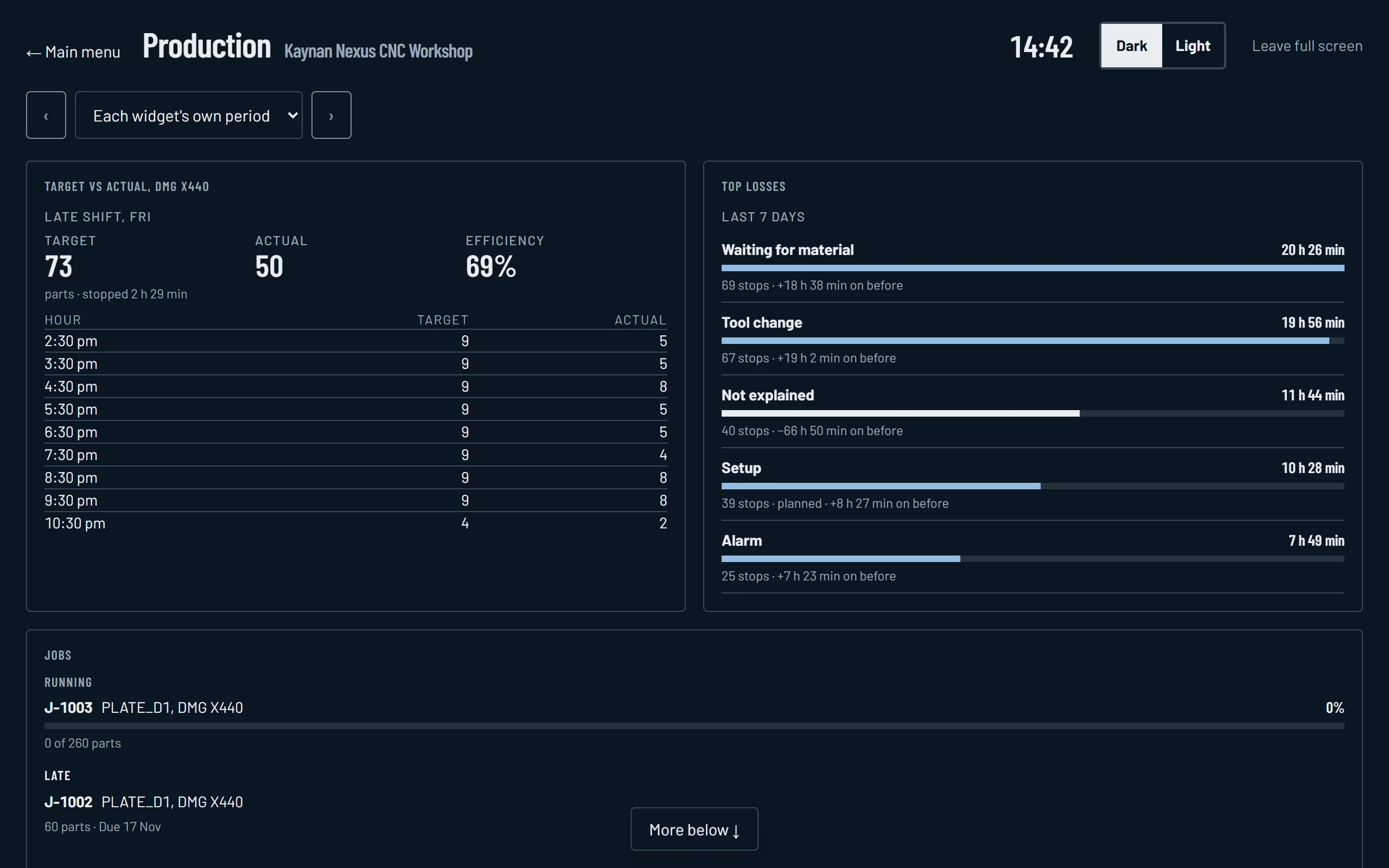
Import your work orders from a spreadsheet, or add them one by one. A running job shows how many are made, how many to go and when it should finish at the rate it is running now. Late jobs are listed, and a warning can go up as soon as a running job is heading past its due date.
Target against actual
A target that rises with the clock through the shift, at the rated rate of the product running, against what was actually made, with efficiency beside it and an hour by hour table. Stopped time counts against the target, which is exactly what the board should show. Put it on the TV in the workshop.
Changeovers
Every stop where the product changed is a changeover. The day view lists each one, from which product to which, how long it took, and whether it beat your target time.
Where the time went
Top losses ranks the reasons machines stopped over the last day or week, with the change against the week before, for one machine or the whole floor.
Questions
- Where do the jobs come from?
- Import your work orders from a spreadsheet, or add them one by one.
- How is the finish time estimated?
- From how fast the machine has been making parts for that job recently, so it moves as the rate changes.
- What counts as a changeover?
- Any stop where the product running before is different from the product running after.
See it live
Two demo sites with simulated machines working weekday shifts. No sign in, nothing to install.
- CNC workshopFour CNC machines on one screen: OEE for the shift, which machines are running, parts made, and the alerts.Open the demo →
- Bagging lineA production line making bagged products: whether it is running, the product being made, bags per hour, the belts' material flow and the bag count.Open the demo →
The readings are simulated, but everything you see is the real Kaynan Nexus portal.