Operator tablet and andon
A screen at every machine, for the people who run it
Any tablet or phone kept at the machine opens its own page from a private link. Operators say why it stopped, record scrap, run their jobs and call for help, without signing in and without leaving the machine.
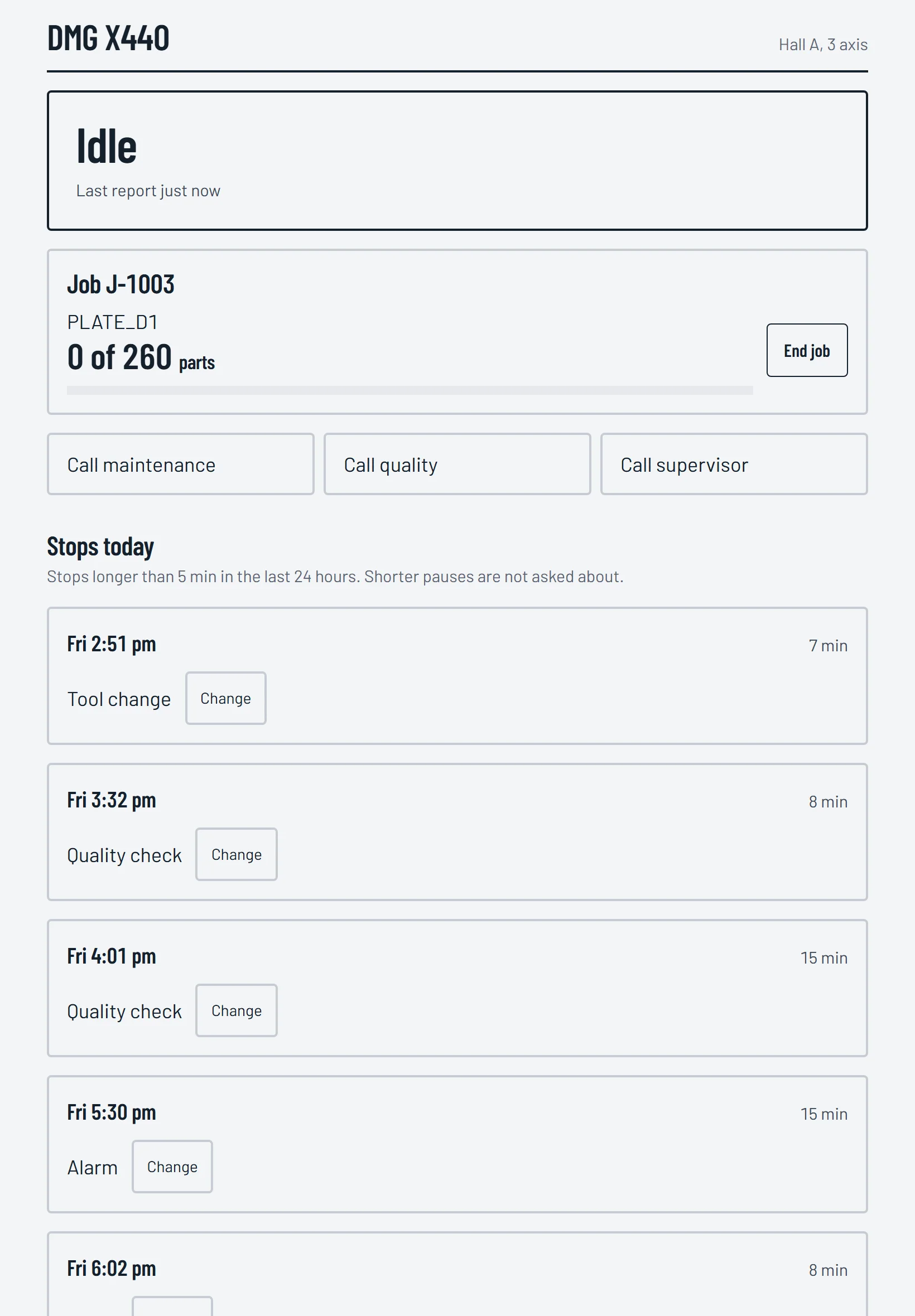
Call for help with one tap
Call maintenance, Call quality and Call supervisor are on the screen. A tap sends an alert to the right people by phone notification and email, and passes it on if nobody answers. Once someone acknowledges it, the screen says help is on the way; the operator closes the call when help arrives.
Why did it stop?
The machine's stops of the last day are listed, the reasons it is usually given at the top. Once a stop has gone on for a few minutes, the screen asks about it straight away. Several stops with one cause take one tap.
Scrap with its reason
Type how many and tap the reason, such as wrong size or surface finish. Scrap feeds quality and OEE, and the day view lists it by reason. A wrong entry can be undone.
Jobs at the machine
The running job with how many are made and how many to go, and End job when it is done. With nothing running, the next jobs for that machine are there to start.
Built for the floor
- Large buttons for gloved hands, and it works on a slow factory network.
- Each link opens one machine only and names no other.
- A link can be replaced at any time, and the old one stops working at once.
Questions
- Does the tablet need an app?
- No. It is a web page opened from the machine's private link, on any tablet or phone.
- What happens when someone taps Call maintenance?
- The right people get an alert on their phones and by email, and it is passed on if nobody answers. The screen shows when help is on the way.
- What if a link gets passed around?
- Each link opens one machine only and names no other, and it can be replaced at any time.
See it live
Two demo sites with simulated machines working weekday shifts. No sign in, nothing to install.
- CNC workshopFour CNC machines on one screen: OEE for the shift, which machines are running, parts made, and the alerts.Open the demo →
- Bagging lineA production line making bagged products: whether it is running, the product being made, bags per hour, the belts' material flow and the bag count.Open the demo →
The readings are simulated, but everything you see is the real Kaynan Nexus portal.